05. Exercise: Notification Channels
L1 A05 Notification Channels V3
Android Developer Documentation
Exercise
Open
EggTimerFragment.ktand find thecreateChannel()function. Channels are available from api level 26.Pass the unique channel id to the constructor of
NotificationChannel.Next pass the notification channel name which users will also see in their settings screen.
As the last parameter, pass the importance level for the notification channel. Importance levels will be covered later in this lesson so for now you can use
NotificationManager.IMPORTANCE_LOW.On the
notificationChannelobject setenableLightstotrue. This setting will enable the lights when a notification is shown.Again On the
notificationChannelobject setlightColortoredin order to display a red light when a notification is shown.On the
notificationChannelobject setenableVibrationtotruein order to enable vibration.On the
notificationChannelobject set channel description to"Time for breakfast".
private fun createChannel(channelId: String, channelName: String) {
    // TODO: Step 1.6 START create a channel
    if (Build.VERSION.SDK_INT >= Build.VERSION_CODES.O) {
        val notificationChannel = NotificationChannel(
            channelId,
            channelName,
            // TODO: Step 2.4 change importance
            NotificationManager.IMPORTANCE_LOW
        )
        // TODO: Step 2.6 disable badges for this channel

        notificationChannel.enableLights(true)
        notificationChannel.lightColor = Color.RED
        notificationChannel.enableVibration(true)
notificationChannel.description = "Time for breakfast"- Get an instance of
NotificationManagerby callinggetSystemService. CallcreateNotificationChannelonNotificationManagerand passnotificationChannelobject which you created in the previous step.
        val notificationManager = requireActivity().getSystemService(
            NotificationManager::class.java
        )
        notificationManager.createNotificationChannel(notificationChannel)


    // TODO: Step 1.6 END create channel
}- Next, to create a channel, you need to call the new
createChannel()extension function you just wrote. This function takes two parameters, the channel id and the channel name. You need to look up your channel id and channel name from the string resources. Find Step 1.7 in onCreateView()function of the same class and call thecreateChannel()function to create the channel.
// EggTimerFragment.kt
    // TODO: Step 1.7 call createChannel
    createChannel(
          getString(R.string.egg_notification_channel_id),
          getString(R.string.egg_notification_channel_name)
)- You need to pass the channel id to the notification builder. You already did this in step 1.2. Setting a wrong value as the channel id will make the notification fail. Open
NotificationUtils.ktto verify the channel id you previously set is correct.
val builder = NotificationCompat.Builder(
        applicationContext,
       // TODO: Step 1.8 verify the notification channel name
        applicationContext.getString(R.string.egg_notification_channel_id)
)
Run the app, you will see the app sends a notification every time you start the timer.
Pull the status bar and observe the notification title, content and icon are just like you set in the previous steps. With this you started using the channel you just created and added properties like the importance. Also this allows your users to be able to control this channel separately such as turning on or off notifications from this channel.
To verify the newly created channel, close the app and find the app icon. Perform a long click on the app icon and select app info.
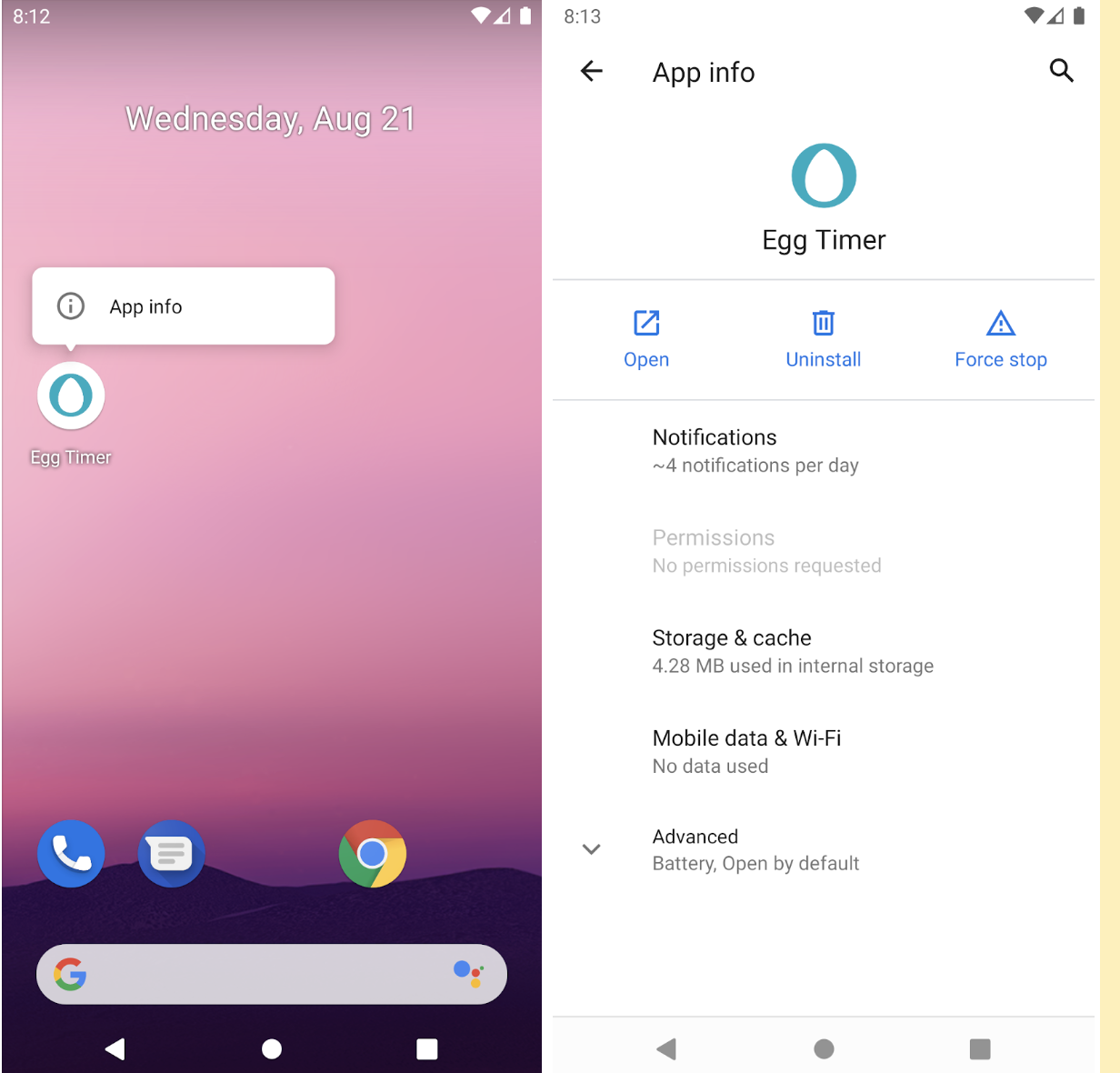
- Select
notificationfrom the list of settings and you should be seeing the new channel with name Egg, right below the Show notifications setting.
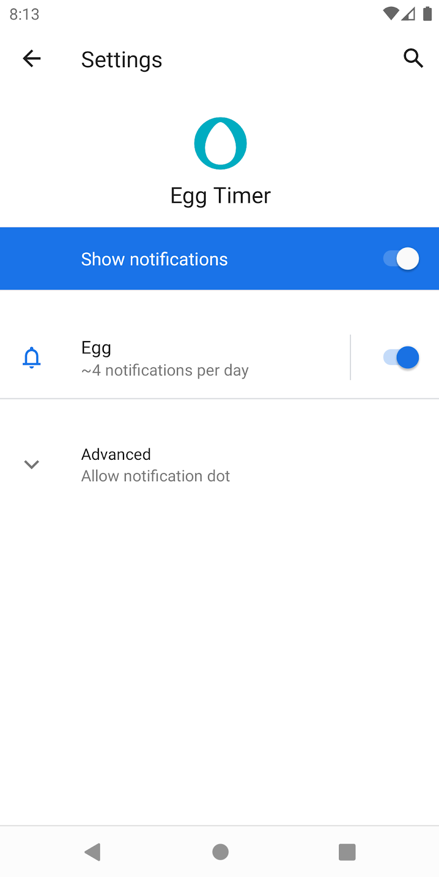
By using channels, the app developers can customize the settings and behavior for all notifications sent on this channel. Your users can also change the settings for each channel by using the channel list.